Anime Eye Filter: AI Anime Star Eye Photo Maker
Upload a selfie. AI puts a star sticker with a hand-drawn anime eye over one of your eyes and adds a few cute doodles, like the TikTok anime eye trend. You get 3 versions to download.
1. Upload a selfie
2. Make your anime star eye photo
Free sign-in (Google or email) when you generate. 1 credit = 3 variations of your selfie (different star colors), 2K PNG download, no watermark. If the images fail, the credit comes back automatically. 18+ only, use your own photo.
3. Download
Updated Oct 31, 2026
How the anime eye filter works
- Upload one clear selfie (one face, both eyes visible). On a computer you can also scan the QR code and send the photo from your phone.
- Click Make 3 anime eye photos. Sign-in is free (Google or email). One generation costs 1 credit and takes about a minute.
- Download the 2K PNGs (no watermark) and post them, or use them in a TikTok or CapCut slideshow.
Examples
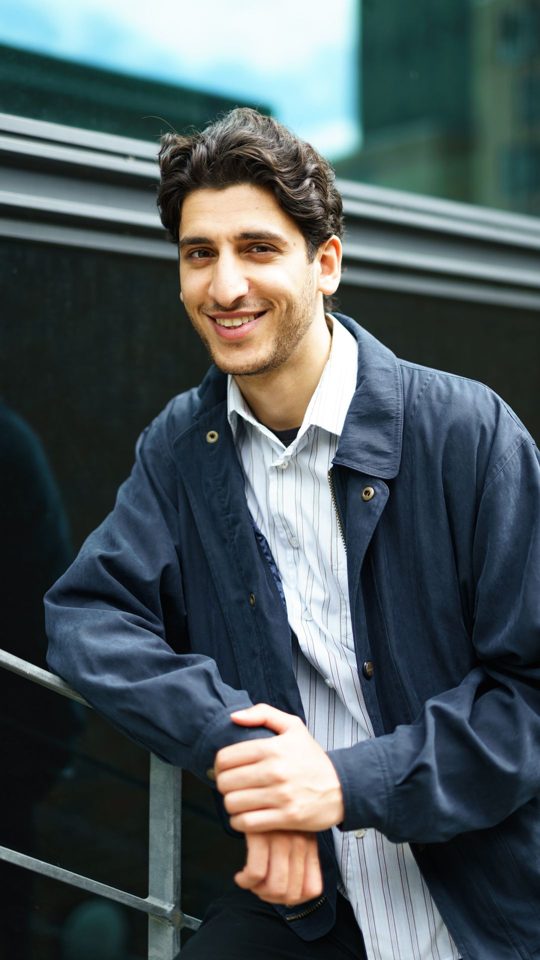
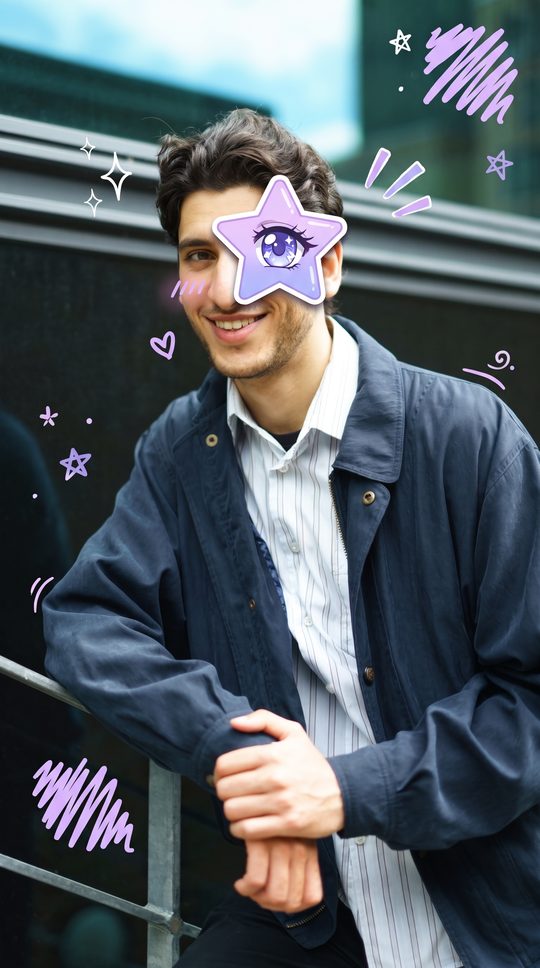
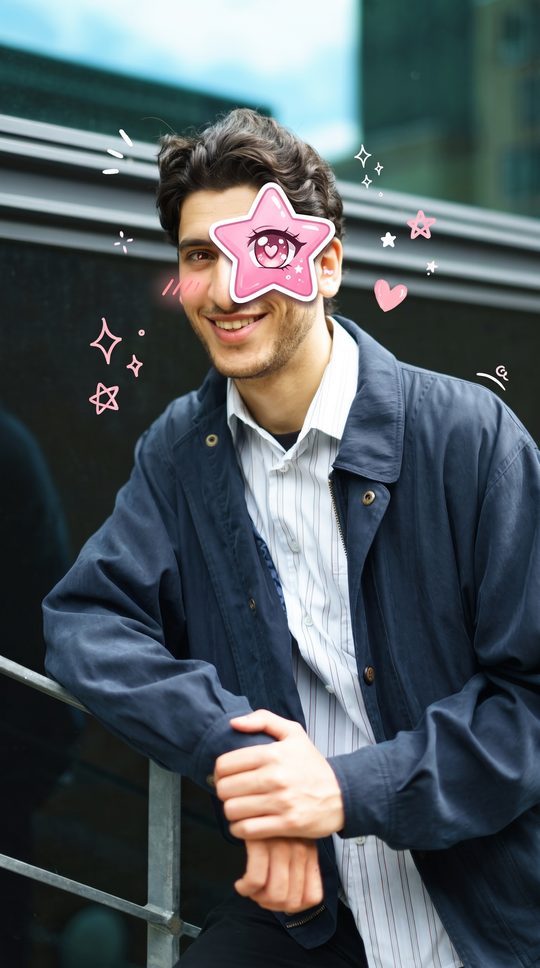
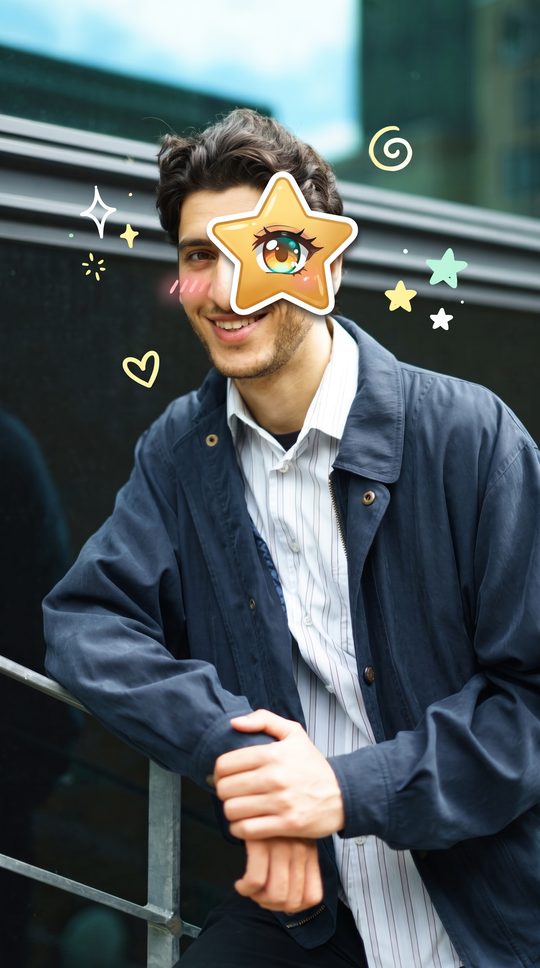
Made with this tool from a stock photo (Pexels, photographer Andreas Ellegaard; a stock model, not a customer). Unedited AI output, only resized for the web. AI is not perfect: sometimes the star lands a little off the eye or the doodles differ, which is why you get 3 versions.
Tips for a good anime eye photo
- Face the camera, eyes open, no sunglasses. A close selfie works better than a full-body photo.
- One person per photo. With several faces, the star goes on the most prominent one.
- Good, even light. Very dark or blurry photos give weaker results.
Credits work for both tools: 1 credit = 3 anime eye photos or 1 HD broom riding AI video. Prices on the pricing page.
Anime eye filter FAQ
What is the anime eye filter (anime star eye trend)?
It is the TikTok photo trend where one eye in a selfie is covered by a star-shaped sticker with a big hand-drawn anime eye inside, with a few small anime doodles (sparkles, stars, hearts) around the face. This page makes that picture from your own selfie with AI.
Is this the TikTok filter?
No. It is not a live camera filter or an official TikTok or CapCut effect. It is a photo maker: you upload a still selfie and get finished images back to download. You can then post the image on TikTok or add it to a CapCut slideshow yourself.
Can I get anime star eyes or sparkle eyes?
Yes. Every result has an anime eye with star and sparkle highlights inside a star sticker. One generation gives you 3 variations with different star colors (purple, pink, gold), and the sticker is placed on one eye; the other eye stays as it is in your photo.
How do I do the anime eye trend on TikTok or CapCut?
Make your star eye photo here and download the PNG. On TikTok, post it as a photo post or slideshow with the trend sound. In CapCut, start a new project, add your original selfie and the anime eye version one after the other, and put the transition on the beat.
How much does it cost?
1 credit per generation, which gives 3 images (2K PNG, no watermark). Credits are the same ones used for broom riding videos: $4.99 for 1, $9.99 for 3, $24.99 for 15. One-time payment, no subscription. If the images fail, the credit comes back automatically.
Does it use real anime characters?
No. The eyes and doodles are drawn in an original, generic anime style. It does not copy existing anime characters, logos or artwork.
What happens to my photo? Who can use this?
You must be 18 or older and only upload photos of yourself or of people who agreed. Uploaded photos are deleted within 24 hours and finished images after 14 days. Photos are not used to train AI models. Photos sent with the scan-to-upload QR code are deleted right after they reach your computer.